Crew time for contractors
Crew timesheets that work with no signal.
The foreman clocks the whole crew in and out from one phone, out where there is no signal. The hours land in timesheets for the office to check, approve and send to payroll.
- One phone per crewThe foreman keeps everyone's hours
- Works with no signalHours send themselves later
- Ready for payrollApprove, then export to Excel
What you get
Hours from the field, straight to payroll.
No more paper sheets on the dash or hours read over the phone at the end of the week.
- The foreman clocks the crewPick the crew, start the shift. Everyone can share the same times, or each person can start late or leave early.
- Works with no signalStarting the crew, ending the day and the signatures all work offline. The sheet sends itself when the phone is back in range.
- The crew signs the sheetAt the end of the day the phone goes around and each person signs their hours. The foreman can skip it if someone already left.
- Paper sheets still workIf the foreman filled a paper sheet, they type it in later and add a photo of the paper.
- The office approvesTimesheets by pay period. The office approves each sheet or sends it back to the foreman with a note.
- BC overtime worked outOvertime follows the BC general rule: after 8 and 12 hours in a day and 40 in a week. You confirm the rule for each person, and managers can be set to no overtime.
- A record of every changeChanging hours after a shift is closed needs a reason, and the change is saved with who made it. Approved pay periods are locked.
- Location at clock-in, if you want itTurn it on and the foreman needs the phone's location on to start the crew. Timesheets show which shifts started with the location off.
- Reminders for open shiftsIf a shift is left open too long, the foreman gets a reminder. Very long shifts are flagged for the office to check.
- Excel for payrollExport the approved hours, with overtime split out, to Excel for your payroll program or your bookkeeper.
A day on the crew
The hours are saved before the bars come back.
Every start, end and signature is saved on the foreman's phone first. The office sees the sheet as soon as the truck gets signal, with nothing to re-type.
- 06:30Crew 2 clocked in, 5 peopleSaved on phone
- 11:15Liam left early, 11:15Saved on phone
- 15:30Crew 2 clocked out, 5 signaturesSaved on phone
- 16:05Back in rangeAll sent
On the phone
Big buttons, few steps.
Fieldyard runs in the phone's browser and adds itself to the home screen. Nothing to download from the app store.
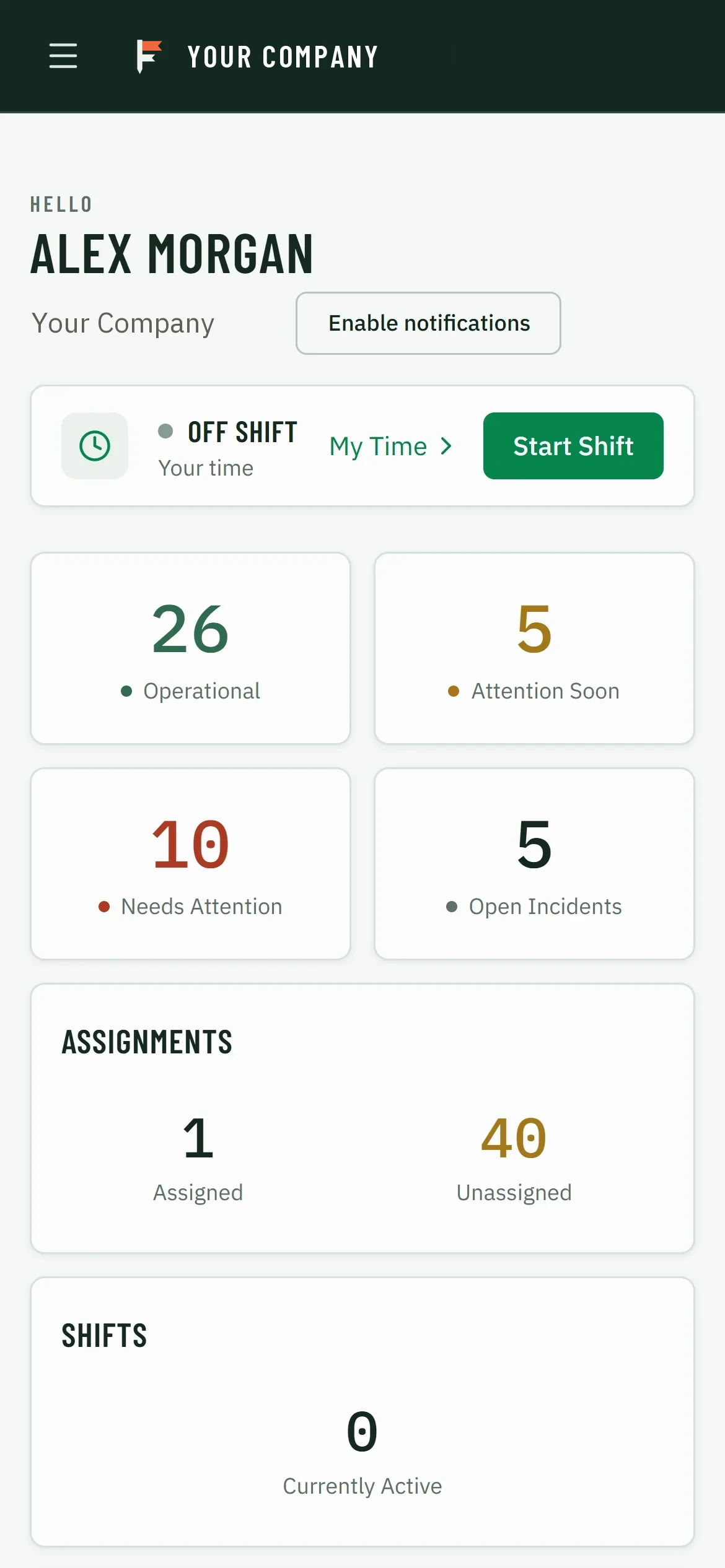
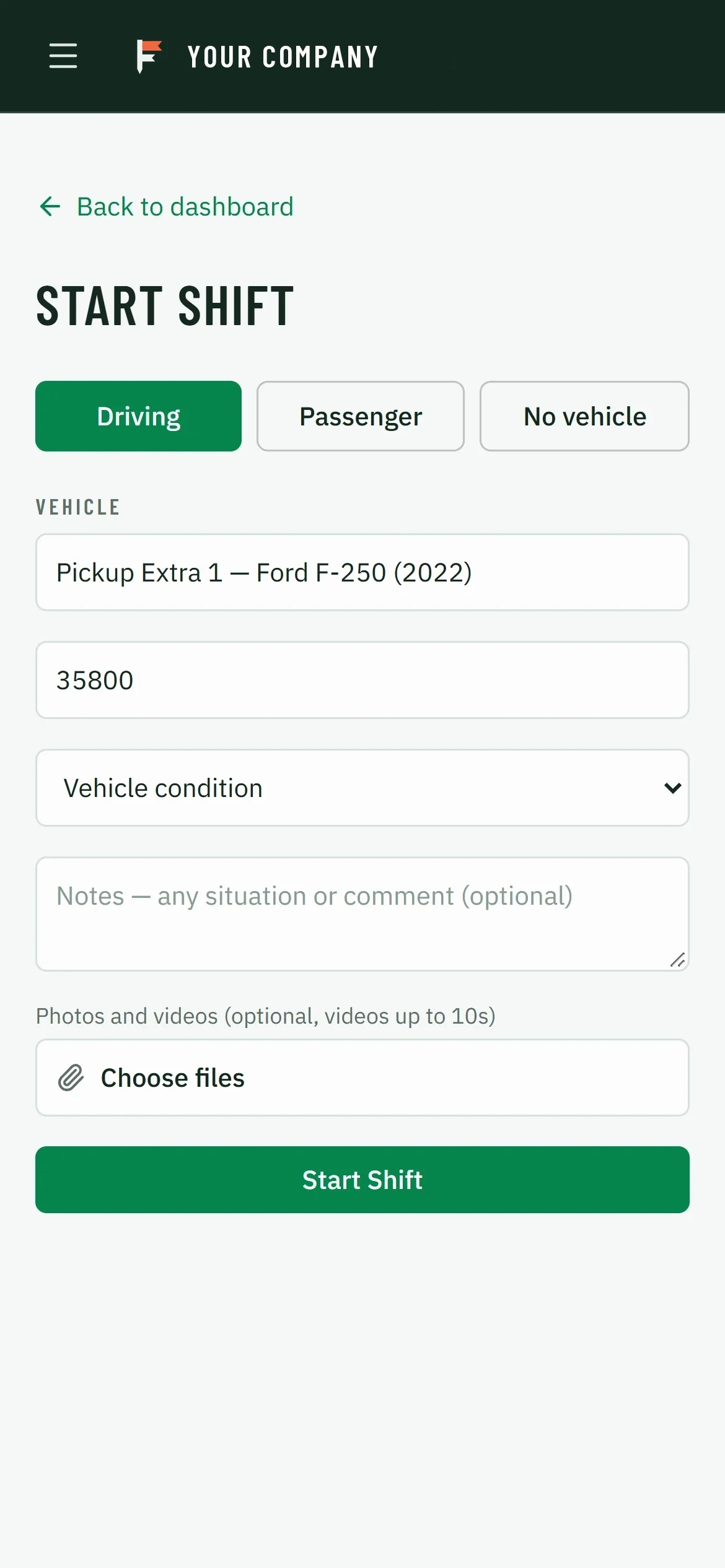
Real screens from Fieldyard. Your company name goes where it says Your Company.
How it works
From the first clock-in to the pay run.
Morning
The foreman opens Fieldyard, picks who is working today and starts the crew. No signal is fine.
During the day
Someone leaves early or shows up late? The foreman changes that one person's time. Lunch can be taken off for the crew.
End of the day
The foreman checks the times, the crew signs on the phone, and the sheet is sent.
Pay day
The office checks each sheet, approves it or sends it back, and exports the hours to Excel for payroll.
Questions
Questions about crew time.
Does every worker need the app?
No. The foreman clocks the whole crew from one phone. Workers can still open Fieldyard on their own phone to see their hours.
What if there is no signal all day?
Starting the crew, ending the day and the signatures all work with no signal. The sheet is saved on the phone and sends itself when the phone gets signal again.
Can workers clock themselves in?
No. The foreman clocks the crew in and out, so nobody can start their own time from home.
How is overtime worked out?
With the BC general rule: overtime after 8 hours in a day, double time after 12, and overtime after 40 hours in a week. Some jobs have different rules, so you confirm the rule for each person, and managers can be set to no overtime.
Does it connect to our payroll program?
Approved hours export to Excel, which you can bring into your payroll program or send to your bookkeeper.
Overtime in Fieldyard follows the BC Employment Standards general rule. Some jobs and agreements use different rules; check what applies to your crews.
Book a demo
See crew time set up for your crews.
We'll show you Fieldyard with your company's name and your machines on it in a 20‑minute call. No setup fee and no contract: $69 per person a month.